Mobile PDF suite for editing, scanning, and secure offline handling
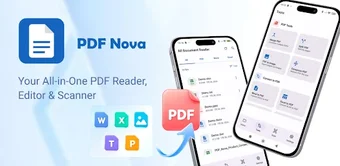
PDF Nova: Edit Create Read, from JIEYING WENDY LIN, is a mobile-first PDF solution designed to replace heavier desktop tools for on-device document work on Android. The app lets you read, edit existing text, annotate, and scan paper into high-resolution PDFs, with conversion tools for Word, Excel, PowerPoint, and images. It performs document processing entirely offline and offers password protection, page management, and watermarking. Professionals and students benefit from a single app that combines reading, editing, and secure scanning on mobile.
What is PDF Nova used for?
PDF Nova acts as an all-in-one mobile PDF workstation that combines reading, editing, and scanning on Android devices. It supports direct text editing, annotations, freehand drawing, and an HD camera scanner with auto-cropping. The app performs document processing entirely offline, which makes on-device editing and conversion the primary use case for professionals who need secure handling of contracts, receipts, and classroom materials without cloud uploads.
What can you do with PDF Nova in a document workflow?
The app supports a linear workflow from capture to distribution: scan paper with the built-in HD scanner, edit text or annotations, then manage pages before exporting. Advanced page operations include merge, split, rotate, and reorder, while conversion tools convert Office documents and images into PDFs. Use password protection and watermarking to lock files and mark drafts before sharing or archiving.
Is PDF Nova easy to adopt on mobile devices?
The tool targets smartphones and tablets and presents a clean, modern interface designed for straightforward navigation. Templates are not listed, but the universal file manager supports PDFs, Word, Excel, PowerPoint, and TXT, reducing format juggling. Basic tasks require no desktop software knowledge, though users migrating complex, multi-file desktop workflows may need to adapt to mobile layout and touch controls.
How does PDF Nova handle large files and compatibility?
Performance is a highlight: the app claims lightning-fast loading for large PDFs and keeps processing local, which preserves privacy during heavy use. It includes file conversion from images and Office formats and a universal manager that opens multiple document types. Reliability for batch operations is implied by advanced page management, though very complex desktop-only batch scripts are outside the mobile scope and may not translate to Android workflows.
PDF Nova suits mobile professionals who need local document control
PDF Nova suits professionals who want a single Android app intended to replace heavier desktop PDF tools for on-device document handling. The trade-off is the mobile environment itself, which constrains desktop-style batch scripting and multi-window editing that complex, desktop workflows use. For anyone prioritizing private, local processing on a phone or tablet, the app is a practical mobile-first choice and supports straightforward deployment on standard devices.